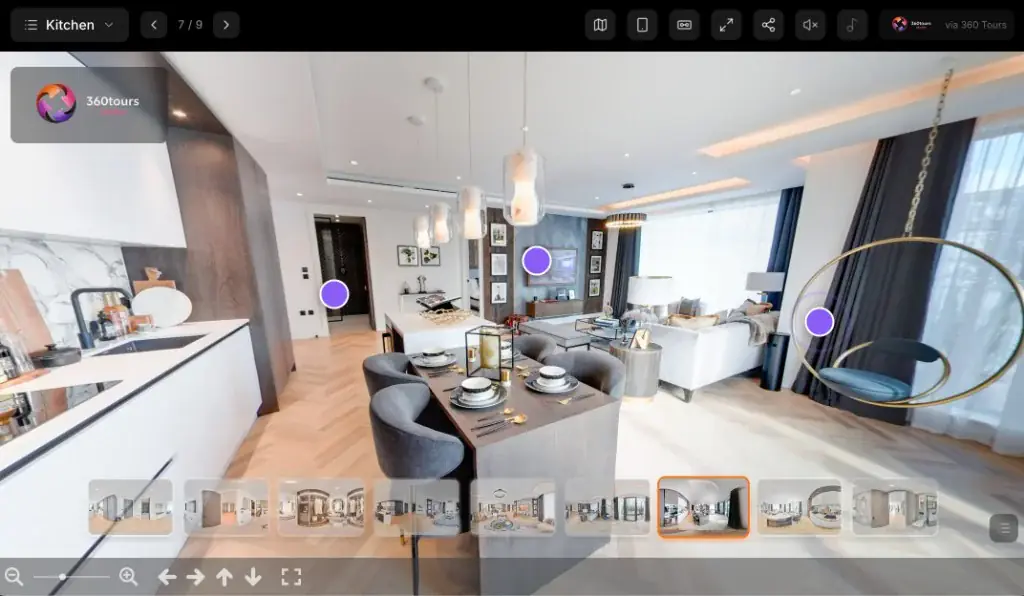
Casarani — Brazil
Luxury villaA Brazilian luxury villa with infinity pool, palm deck and coastal views — explore the outdoor living as an overseas buyer would before travelling to view.
- Infinity pool & deck
- International listing
- Mobile & VR ready

360 Virtual Tours
Let buyers, tenants and investors explore a property online, move naturally between rooms and understand the layout before arranging an in-person viewing.
Estate agents book through the Photoplan app · One-off customers order online · Developers and commercial clients request a quotation · Bespoke VR campaigns — speak to the team
★★★★★
Google reviews“I have been dealing with Photoplan for 20+ years. They always provide a speedy and efficient service, with photos and floor plans that do real justice to the property we are marketing.”
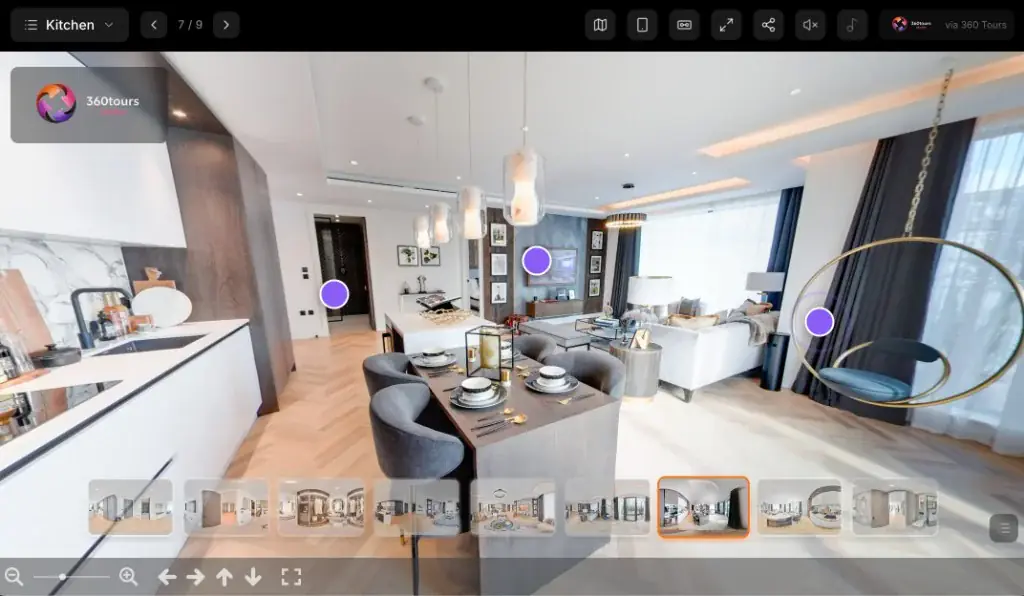
Photographic 360 · Multi-room villa
Open tour in a new window2004
Established
100,000+
Properties captured
Next day
Standard delivery
UK & worldwide
Coverage
In-house
Hosting platform
Mobile & VR
Ready to view
Photoplan captures professionally branded 360 virtual tours for estate agents, developers and commercial clients across the UK. Each tour connects panoramic photography into an interactive experience that works on desktop, mobile and VR — hosted on our in-house 360 Tours Studio platform, with next-working-day standard delivery and flexible hosting suited to listing lifecycles.
What you get
Professionally captured panoramas, room-to-room navigation, agency branding and flexible hosting — delivered ready to share.
Hotspots connect panoramas so viewers move through the property in a natural order.
Smooth browser viewing on phone, tablet and computer — with VR mode where supported. No app required.
Agency logo, colours and contact details for a consistent professional experience.
Secure hosted links and embed codes, with pay-as-you-go or active-space options on 360 Tours Studio.
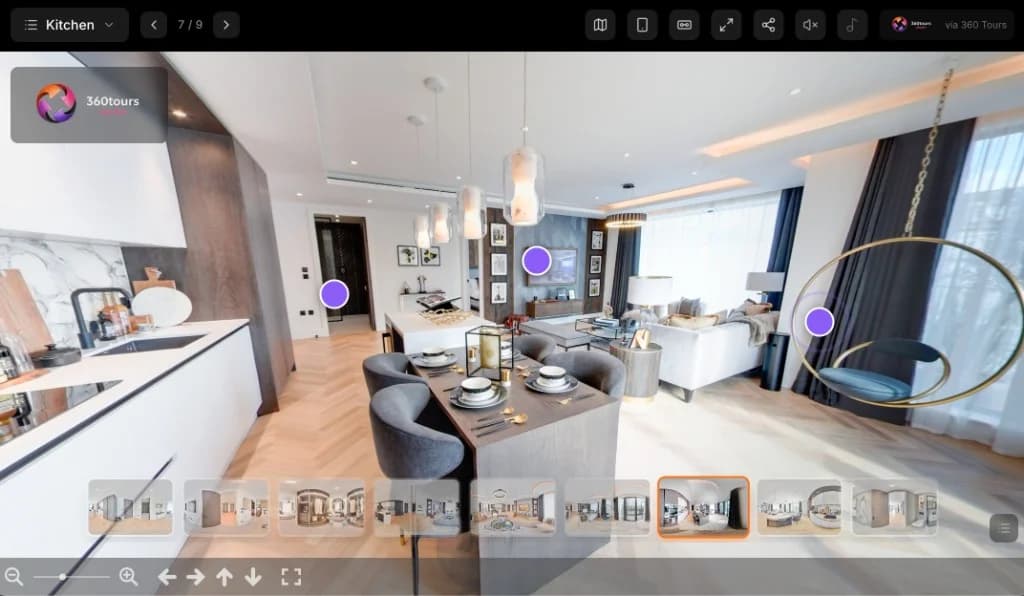
The fundamentals
A 360 virtual tour is a collection of panoramic images connected through interactive navigation points. Viewers can look around each room, move through the property and explore the space in their own order.
Each panorama is a full spherical image of a room or space. Hotspots link those panoramas into a logical route, so a buyer can look in every direction, move between rooms and build a clear sense of layout and flow — without specialist software. The tour opens in a browser on desktop, tablet or phone.
Unlike a slideshow, rooms stay connected. Unlike a property video, the viewer chooses the pace and path. A standard panoramic tour is not a full three-dimensional scan or LiDAR model — for measured digital twins, see Matterport scanning.
Why it matters
A well-made 360 virtual tour helps viewers understand a property before visiting. It can support more informed enquiries, help overseas buyers explore remotely and keep a listing accessible outside office hours.
Viewers see how rooms connect rather than viewing each photograph in isolation — especially useful for unusual or multi-level homes.
Useful for relocating, overseas and time-poor buyers who need a clearer sense of the property before travelling.
Buyers can return to the tour after a viewing to refresh their memory and compare options with family members.
Prospective buyers can arrive with a clearer idea of layout and condition, which may reduce unsuitable appointments.
While the tour is active, the experience remains accessible outside office hours for anyone with the link.
Helps agents demonstrate a more complete listing alongside photography, floor plans and video.
The viewing experience
Buyers and tenants control the pace. They open a link, look around each room and move through the property in their own order.
Share a secure hosted link or embed — no app download required.
Phone, tablet or computer. VR headsets are supported where enabled.
Drag or swipe to look in every direction within each panorama.
Select hotspots to move through the property in any order.
Use floor selectors or menus where multi-level navigation is enabled.
Open full-screen for a clearer immersive viewing experience.
Where enabled, viewers can also use a floor plan or room menu, enter VR mode, or join a guided live viewing with an agent. View live tour examples.
Live examples
Genuine Photoplan 360 virtual tours across residential, new-build and commercial property. Previews load first — interactive embeds start only when you choose to explore, so the page stays fast on mobile.
A Brazilian luxury villa with infinity pool, palm deck and coastal views — explore the outdoor living as an overseas buyer would before travelling to view.
A luxury villa in La Finca, Madrid — explore the interiors room by room as an overseas or relocating buyer would before arranging a viewing.
Explore this elegant wedding venue room by room — ceremony spaces, reception rooms and grounds — exactly as couples and guests would experience it on the day.
A premium penthouse apartment — explore the open-plan living space, bedrooms and views exactly as a buyer would before booking a viewing.
A high-end London apartment — explore the living spaces, bedrooms and finish in detail, exactly as a prospective buyer or tenant would.
A crisp new-build interior suited to show-home and completed-plot marketing. Tours like this help developers present units to relocating and overseas buyers who cannot easily attend in person.
A new-build show home apartment — present units to off-plan, relocating and overseas buyers who cannot easily attend in person.
How it works
From booking to hosted delivery, each panorama is professionally processed, connected into a logical viewing route and checked across desktop and mobile before delivery.
Confirm address, access, property type, number of floors and whether exteriors, outbuildings or amenities should be included.
The operator plans panorama positions so viewers move naturally through the property without awkward jumps.
Because a 360 camera records the whole room, decluttering, lighting and door positions matter more than for stills alone.
Each viewpoint is captured carefully, with attention to mirrors, reflections, open doors and outdoor transitions.
Hotspots and multi-floor navigation are placed so the route feels logical on desktop and mobile.
Each panorama is professionally processed for consistent exposure, colour and clarity across the tour.
Agency branding, contact details and scene labels are checked, then the tour is reviewed across devices.
The finished tour is hosted on 360 Tours Studio and delivered as a secure link and embed code — typically next working day for standard residential work.
Deliverables
Standard Photoplan-managed tours include professional capture, connected navigation, branding and a hosted link. Platform enhancements and bespoke VR campaigns are optional.
Features included with a normal Photoplan managed tour.
Available through upgraded tours, Studio features, additional media or bespoke setup — not every tour includes every platform feature.
Pricing & booking
Pricing may depend on property size, number of rooms and panoramas, floors, exterior spaces, location, commercial complexity, branding, hosting model, optional platform features, VR requirements and additional photography or floor plans.
Book through the Photoplan app for regular account work. Account pricing is available — not published publicly.
Order a professionally captured virtual tour online through the Photoplan shop.
Request a tailored quotation based on building size, complexity and campaign needs.
Explore 360 Tours Studio software and hosting separately from the managed capture service.
Request a Meta Quest or event-based VR campaign proposal.
Need measurements, point clouds or BIM outputs? Choose Matterport or measured surveys.
Estate agents with accounts should book through the app. One-off customers can order online. Current starting prices are shown in the shop at the time of order.
Compare formats
Choose the format that matches the brief. Photoplan produces panoramic tours, Matterport scans, property video and CGI 360 tours — none is universally better.
Both are interactive. A 360 tour uses connected panoramic photography. A Matterport scan builds a spatially captured digital twin with dollhouse and measurement workflows.
| Feature | 360 virtual tour | Matterport scan |
|---|---|---|
| Primary format | Connected panoramic photography | Spatially captured digital twin |
| Room-to-room navigation | Yes | Yes |
| Interactive viewing | Yes | Yes |
| Dollhouse view | Optional custom aerial navigation — not a true Matterport dollhouse | Yes |
| LiDAR or depth data | Usually no | Yes with supported cameras |
| Measurements | Limited or not intended for technical use | Viewer measurements available |
| Point-cloud / E57 exports | No | Available as optional outputs |
| Outdoor capture | Often straightforward | Depends on camera and conditions |
| Branding flexibility | High through 360 Tours Studio | Platform dependent |
| Hosting flexibility | Photoplan and 360 Tours Studio options | Matterport hosting model |
| Typical use | Property marketing and remote viewing | Marketing, documentation and digital-twin workflows |
A virtual tour helps a viewer investigate the property. A video helps the agent present and promote it. Many premium campaigns benefit from both.
| Aspect | 360 virtual tour | Property video |
|---|---|---|
| Pace | Viewer controls the pace | Editor controls the pace |
| Path | Viewer chooses which room to enter | Viewer follows a set sequence |
| Interaction | Interactive | Passive viewing |
| Strength | Useful for layout exploration | Useful for emotion and storytelling |
| Revisiting | Can be revisited room by room | Best watched from beginning to end |
| Best use | Strong for remote qualification | Strong for social media and campaigns |
| Distribution | Hosted as an interactive experience | Distributed as a video file or link |
Created by attending and capturing a completed or accessible location — existing homes, show homes, hotels, offices and completed developments.
Created digitally from plans, drawings and design information — ideal for off-plan developments, unbuilt interiors and marketing before completion. CGI imagery should be identified as a computer-generated representation where appropriate.
Photoplan tours are built for controlled property marketing. They can include client branding, tailored navigation and private or public sharing. They are not automatically published to Google Maps.
Google Street View is designed primarily for public place discovery. Private property marketing usually needs a different level of presentation and control. Photoplan is not affiliated with Google.
Preparation guide
A 360 camera records the entire room, so preparation is particularly important. People and pets should normally remain outside the capture area while each panorama is taken.
Trust & privacy
Customers should remove or conceal sensitive items before capture. An unlisted tour is not the same as guaranteed privacy.
Where supported on 360 Tours Studio, tours can use password protection, unlisted sharing, and archiving or disabling of links when a property sells or lets. Retouching such as blurring faces, screens or registration plates can be discussed where needed — it is not automatic on every tour.
Hosting explained
A virtual tour must remain hosted to stay accessible. Creating the tour and keeping it live are separate stages — when a tour is archived, viewers can no longer open it until it is reactivated.
Managed Photoplan tours are delivered as interactive hosted experiences, not downloadable files. Hosting periods depend on your agreement; after the included period, inactive tours may be archived. Archived tours can usually be reactivated — ask the team to confirm whether the same link can be restored for your account.
360 Tours Studio also offers flexible DIY hosting: pay-as-you-go credits while a space is live, or an active-space subscription for regular users who keep several tours online.
| Aspect | Pay-as-you-go | Active-space subscription |
|---|---|---|
| Best for | Occasional tours | Regular or high-volume users |
| Cost model | Linked to active use | Predictable recurring capacity |
| Lifecycle | Archive when no longer needed | Keep several spaces active |
| Portfolio fit | No unnecessary ongoing cost for sold properties | Easier portfolio management |
Tours can typically be shared through estate agency websites, development websites, property microsites, email campaigns, social media, QR codes, digital brochures, sales presentations, Meta Quest viewers and direct links. Tours can be linked or embedded wherever the relevant website or portal supports external interactive content. Portal support and policies can change — check current requirements for Rightmove, Zoopla and other platforms before publishing.
Remote viewings
Where enabled on the platform, an agent can present a tour live — guiding the viewer through rooms, answering questions and covering several suitable properties remotely.
Guided virtual viewings differ from simply sending a tour link: the agent leads the exploration, can highlight features and can help overseas or relocating buyers compare options without every participant travelling between appointments.
Viewers typically join from a browser without needing a separate account for a standard viewing session. Exact invite and screen guidance tools depend on the current 360 Tours Studio setup — ask the team if live presentation is important to your workflow.
Showing several properties in one remote session is an illustrative scenario, not a guaranteed result — timings depend on the properties and questions raised.
Our platform
Photoplan creates and hosts managed tours on 360 Tours Studio — our in-house platform for property marketing. The same software is also available for teams who capture and build their own tours.
Photoplan captures, builds and delivers the tour for you.
Create or manage your own tours through the software.
Best for clients who want:
Best for clients who:
These options are complementary. The managed Photoplan service remains the main booking route for most estate agents and one-off customers; Studio is for teams who prefer to create tours themselves.
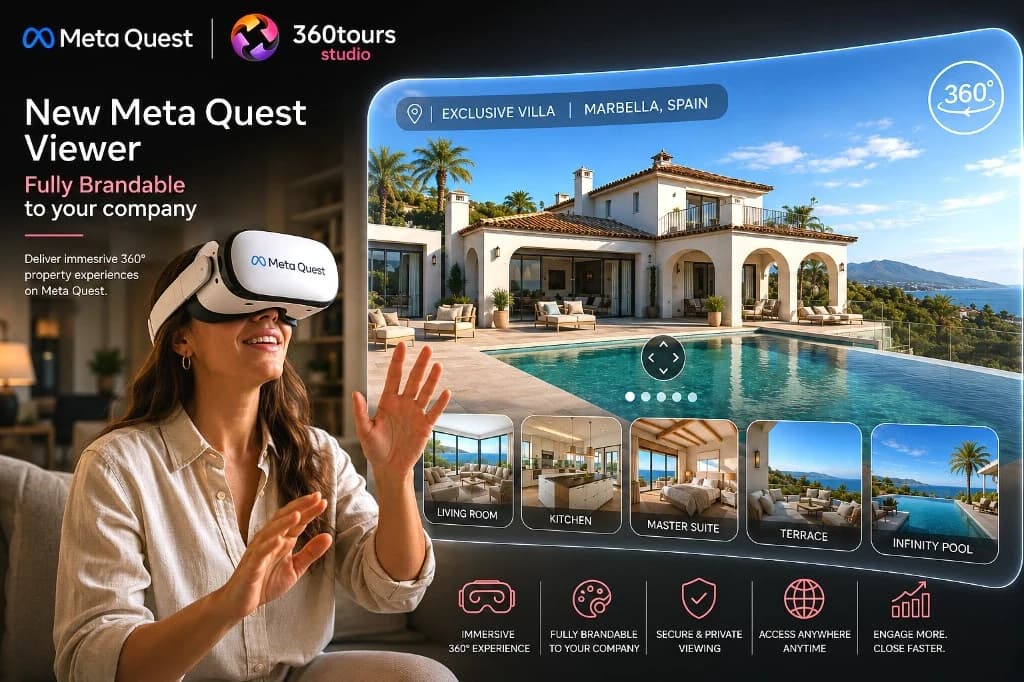
Step inside in VR
Compatible tours hosted on 360 Tours Studio can be opened in a Meta Quest headset. The viewer feels placed within each panorama and navigates between captured viewpoints — this is not unrestricted room-scale free walking through a geometric 3D model.
Tour codes can simplify access at events and sales suites. Branding can be incorporated where supported. Bespoke campaigns may require setup and ongoing service fees.
Photographic 360
Open tour in a new windowBeyond property
The immersive 360 platform we use for property tours also powers 360Worlds — narrated educational worlds exploring Roman London, the Solar System, the human body and more.
Choosing a format
From interactive 360 tours to Matterport 3D scans and aerial capture — we match the format to the property and brief.
Interactive click-and-drag tours that let buyers explore every room online.
Spatially captured digital twins with dollhouse view and measurement tools.
Showcase layout, structure and surroundings from above with drone capture.
Estate agents
Consistent branded tours, app-based booking, flexible hosting and one provider for photography, plans and interactive viewings.
Estate agents book regular managed tours through the Photoplan app. New agencies can open an account with the team — account pricing is not published publicly.
Estate agent servicesDevelopers
Show homes, completed plots, marketing suites, apartment schemes, build-to-rent, shared ownership and multi-phase campaigns — plus CGI 360 tours for unbuilt units.
Capture an existing show home, completed plot or amenity spaces so overseas buyers and investors can explore before travelling.
For off-plan marketing, a CGI 360 tour is created from plans rather than site photography — identify computer-generated imagery clearly where appropriate.
Commercial
Offices, retail, industrial, warehouses, hotels, restaurants, venues, schools, care homes, healthcare and flexible workspace — presented for remote inspection and marketing, not as measured surveys.
A standard marketing tour is not a measured survey, inspection report or formal condition record. For technical documentation, see Matterport Scanning, Digital Twin and Measured Surveys and Commercial Property Services.
Pricing depends on building size, complexity, number of panoramas and intended use.
Hospitality & venues
Hotels, holiday accommodation, wedding venues, restaurants, conference spaces, leisure venues, care homes, student accommodation and event venues.
Visitors can explore bedrooms, suites, reception areas, restaurants, meeting rooms, gardens, spas, event spaces, accessibility routes and shared amenities before they book or enquire.
Hospitality photography and mediaOne-off customers
Homeowners, private sellers, landlords, Airbnb hosts, holiday-let owners and premium rental properties can order a professionally captured tour online.
Property types
Every building has different capture priorities. These cards summarise what to highlight, common challenges and useful supporting services.
Accessibility
A 360 tour cannot replace every accessibility requirement. Provide a text summary or conventional photography and floor plans alongside the interactive experience where practical.
We do not claim full WCAG compliance for third-party or embedded viewers unless independently verified for a specific configuration.
Image quality
Photoplan balances image quality, loading speed, mobile data usage and browser compatibility so tours remain usable on everyday connections.
Very high-resolution panoramas are delivered progressively so the viewer can start exploring without waiting for every pixel. Full-screen viewing remains available once the experience has loaded. The goal is a clear, responsive tour — not the heaviest possible file size.
Better together
A 360 tour works hardest alongside professional photography and an accurate floor plan. Book them together and we capture everything in a single visit.
Package prices are shown in the shop or quotation — they are not hard-coded here so they stay current.
After delivery
Needs change after a tour goes live. Distinguish production corrections from platform edits, recaptures and hosting changes.
Hotspot adjustments, room-name corrections, branding updates, hiding a scene or changing contact information — often handled in Studio or by the production team.
If the property is redecorated or materially changed, a new capture may be needed rather than editing old panoramas.
Sold or let properties can be archived to stop active hosting use. Reactivation is usually possible — confirm link behaviour with the team.
Production errors are handled as quality corrections. Ongoing revision policies depend on the booking type — ask when you book if you need a specific change process.
Google reviews
Estate agents, developers and homeowners have trusted Photoplan for over 22 years. Here is what some of them say on Google.
Excellent rating on Google Reviews
Read all reviews on Google“I have been dealing with Photoplan for 20+ years. They always provide a speedy and efficient service, with photos and floor plans that do real justice to the property we are marketing.”
“Ben took photos and a video of our penthouse and did an extremely good job. His photos are taken with great artistic skill and give an excellent impression of the space. By far the best property photographer we have come across — highly recommended.”
“Photoplan offer an amazing service that far exceeds traditional property photography. Highly recommended!”
“Absolutely brilliant service and beautiful professional pictures. Very professional and quick. I would recommend them to family and friends.”
“Ben is very experienced, diligent and knows what he is doing. I would highly recommend his services.”
“Prompt replies to enquiries, and the photos turned out really nice. Would definitely use again.”
Why Photoplan
An experienced UK virtual tour company with in-house hosting, nationwide capture and clear booking routes for every audience.
Long-standing UK experience in interactive property tours.
Residential and commercial work at scale.
Capture, branding and flexible hosting on our own platform.
UK capture coordination; international work by arrangement.
Standard residential turnaround designed for active marketing.
Logo, colours and contact details for a consistent agency look.
Pay-as-you-go and active-space options suited to listing lifecycles.
Photography, floor plans, video and tours from a single booking.
Who we work with
Branded tours, app booking and flexible hosting across branches.
Help tenants explore remotely before arranging viewings.
Show homes, amenities and CGI options for off-plan buyers.
Accessible online exploration for applicants and residents.
Tour amenities and apartment types across large schemes.
Present office, retail and industrial space to remote tenants.
Nationwide & worldwide
Photoplan coordinates virtual-tour capture across the UK — major cities, towns and surrounding regions. Multi-site work can be coordinated. International assignments may be available by quotation; travel or bespoke costs may apply outside normal coverage. Remote hosting lets viewers anywhere in the world access an active tour — that is not the same as guaranteed worldwide photographer coverage.
A connected workflow
Photoplan media plugs straight into ReHub — a connected suite of AI apps for HDR, editing, decluttering, staging and video. One workflow, from capture to publish.

AI HDR merging for balanced, bright windows.

Pro AI photo editing — tone, colour and crop.

AI decluttering for clean, buyer-ready rooms.

AI staging — furnish empty rooms in minutes.

Assemble photos, clips and plans into a listing film.

Turn walkthrough footage into a polished edit.

Turn listing photos into cinematic video.
Explore more
Book a professionally captured 360 virtual tour for your next listing, development or commercial space. Photoplan provides nationwide capture, flexible hosting and immersive viewing on desktop, mobile and VR.