
What Is a Virtual Tour? A Plain English Guide for Property Sellers and Agents
A virtual tour lets buyers explore a property online before booking a viewing. This guide explains in plain English how 360 virtual tours work, what buyers experience, the different formats available and how tours appear on Rightmove and Zoopla.
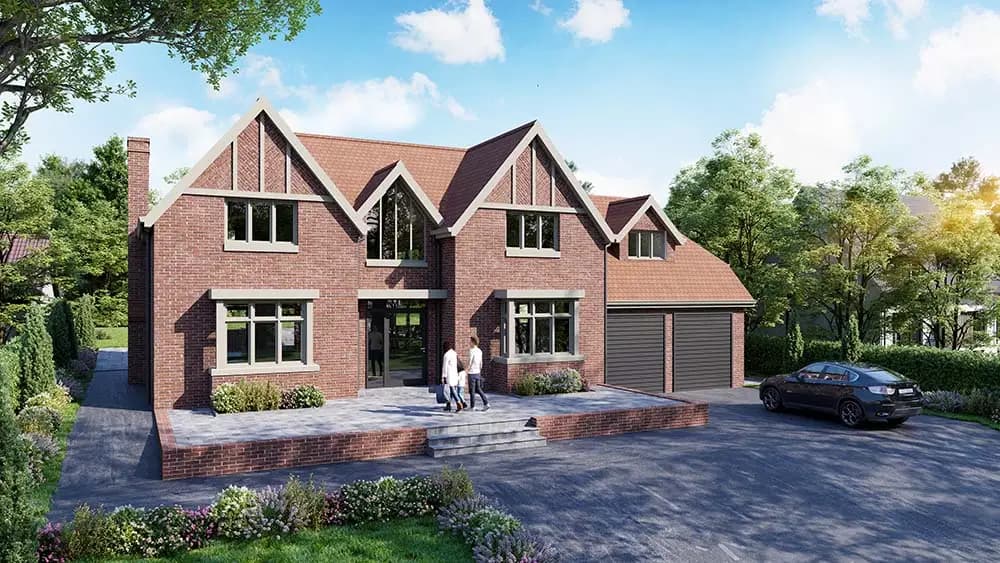
Key Takeaways
- A virtual tour is an interactive online walkthrough that lets buyers explore a property before visiting in person.
- The most widely used format is a 360 photo tour built from linked panoramic images.
- Matterport creates a more advanced 3D digital twin with a dollhouse view and measurement tools.
- Virtual tours embed into Rightmove and Zoopla listings via a URL, opening full-screen for the buyer.
- Properties with virtual tours attract more engaged buyers and fewer wasted viewings.
- Photoplan captures 360 tours and Matterport scans nationwide, often alongside photography and floor plans.
The phrase "virtual tour" gets used loosely — sometimes to mean a slideshow, sometimes a video, sometimes a genuine immersive walkthrough. If you are an estate agent deciding whether to add one to your listings, or a homeowner preparing your property for sale, it helps to understand exactly what a virtual tour is, how it works and what a buyer actually experiences when they use one.
Need a virtual tour? Book a Photoplan 360 tour or Matterport scan.
Photoplan creates immersive 360 virtual tours and Matterport digital twins nationwide — often combined with photography and floor plans in a single visit. Book online or speak to our team about agency pricing.
The plain English definition
A property virtual tour is an interactive online experience that lets someone explore a building from any device, at any time, without being there in person. Unlike a photograph, which shows a fixed view of a fixed moment, a virtual tour lets the viewer look in any direction and navigate from space to space at their own pace.
The experience is closer to being inside the property than any other digital format — which is precisely why buyers and tenants find them useful.
How a 360 photo virtual tour works
The most common type of property virtual tour is built from 360-degree panoramic photographs. Here is the process from capture to publication:
Step 1 — Capture
A professional photographer visits the property with a specialist 360 camera. Unlike a standard DSLR, a 360 camera captures a complete sphere — every direction simultaneously, including up at the ceiling and down at the floor. The photographer positions the camera at one or two points per room, typically in the centre of the space, and triggers a short burst of exposures.
For a three-bedroom house, this might mean 10 to 15 scan positions throughout the property.
Step 2 — Processing
The raw images are transferred to editing software, where multiple exposures are blended to create bright, balanced panoramas — similar to the HDR technique used in professional property photography. The result is a set of sharp, well-lit spherical images that look natural and accurate.
Step 3 — Linking and hosting
The panoramas are uploaded to a virtual tour platform — Photoplan uses dedicated hosting that creates a seamless viewer. Navigation hotspots are added so viewers can click or tap on the floor of one room to move into the next. Informational labels, a thumbnail floor plan and branding can also be overlaid.
The finished tour is assigned a unique URL and can be embedded anywhere via a standard iframe code.
Step 4 — What the buyer sees
When a buyer clicks the virtual tour link on a Rightmove listing, the tour opens full screen. They see the first room — typically the main living space or hallway — and can:
- Look left, right, up and down by dragging with a mouse or tilting their phone
- Click on a hotspot to walk into the next room
- Use a thumbnail map to jump directly to any part of the property
- Open full-screen mode for a more immersive experience
The entire experience runs in the browser with no download required.
Types of virtual tour
Not all virtual tours are the same. The main formats used in UK property marketing are:
Photo-based 360 tours
The most common and cost-effective format. Built from linked panoramic photographs. Delivers an accurate, immersive walkthrough of the property. Best for most residential listings.
Matterport 3D digital twins
Matterport uses a depth-sensing 3D camera to capture not just images but the precise geometry of every room. The result is a digital twin — a complete 3D model of the property that buyers can explore in three modes: a standard walkthrough, a top-down floor plan view and the distinctive dollhouse view that shows the whole property as a 3D model from outside.
Matterport also provides built-in measurement tools and exports point cloud data for architects and developers. It is more expensive than a photo tour but delivers significantly more data. For a detailed comparison, see our guide to Matterport vs 360 virtual tours.
360 video tours
Recorded using a 360-degree video camera, these tours are played back like a film — the viewer can look around but cannot control where they go. They are less common in property marketing because they are less interactive, though they can be effective on social media and video platforms.
Rendered virtual tours for off-plan properties
Developments and new builds that are not yet constructed can use CGI rendering to create virtual tours of planned spaces. These are built from architectural drawings rather than physical capture and allow buyers to explore a property before it exists.
How virtual tours appear on Rightmove and Zoopla
Both Rightmove and Zoopla support virtual tours as a standard listing feature. When an agent uploads a listing through their CRM or directly via the portal, they can add a virtual tour URL alongside the photographs and floor plan.
On the listing page, this creates a "Virtual tour" button or label that appears prominently near the top of the media section. Buyers browsing the search results may also see a "360" or "Virtual tour" badge on the listing thumbnail — a signal that helps the listing stand out.
How buyers interact with tours on portals
Clicking the virtual tour button launches the tour in a full-screen overlay without leaving the listing page. On desktop, buyers navigate using their mouse. On mobile, they swipe and tilt. The experience is smooth and immediate — no new tab, no app, no login required.
Buyers often spend significantly longer engaging with a listing that has a virtual tour, and are more likely to share it with a partner or family member who is also part of the purchasing decision.
What buyers actually gain from a virtual tour
Property photography shows how a home looks. A virtual tour shows how it feels — the flow between rooms, the sense of space, the relationship between the kitchen and the garden, the way light moves through a hallway.
For buyers, that matters because:
- Layout is not obvious from photos. Even excellent photography cannot convey whether a hallway is narrow, whether a kitchen is galley-style or open, or how far the master bedroom is from the children's rooms.
- Remote buyers need more information. Buyers relocating from another city or country cannot easily attend multiple viewings. A virtual tour gives them enough confidence to make an offer — or to rule a property out — without travelling.
- Partners making joint decisions can both explore the property on their own devices, at a time that suits them, without coordinating a joint viewing.
- Investment buyers and landlords assessing multiple properties benefit from being able to revisit a tour as part of their analysis.
As explored in virtual tours sell more than just houses, immersive walkthroughs are effective for any type of property or premises where the physical space is part of the buying decision.
Common misconceptions about virtual tours
"A virtual tour replaces the viewing"
It does not — and it should not be marketed as if it does. A virtual tour helps buyers self-qualify before requesting a viewing. The buyers who do visit in person have already seen the layout, assessed the room sizes and confirmed the property is worth their time. That means fewer cancelled viewings, fewer disappointed buyers and a more focused sales process.
"They're only worth it for expensive properties"
Virtual tours add value across all price points. For a two-bedroom flat, a tour helps tenants and buyers immediately understand the layout — which is especially important for compact spaces where the relationship between rooms is not obvious from photographs. For affordable properties, the cost of producing a tour is small relative to the benefit of attracting more qualified enquiries.
"Buyers don't use them"
Portal data consistently shows that listings with virtual tours attract higher engagement than equivalent listings without. Buyers do use them — particularly at the early research stage, when they are browsing dozens of properties and trying to narrow down which ones to visit. A tour is one of the most effective ways to make a listing stand out at that moment.
For more on how virtual tours affect listing performance, see how virtual tours boost the power of online listings.
When a virtual tour makes the most difference
Not every property needs a virtual tour, but the cases where they add the most value include:
- Properties above a certain price point where buyers expect more information before committing to a viewing
- Flats and apartments where layout is difficult to convey in photographs
- Lettings properties where tenants are assessing multiple options quickly
- Second homes, holiday lets and investment properties where the buyer may not be local
- New builds and show homes where the tour will be active for the duration of the sales campaign
- Larger properties with multiple reception rooms, ancillary spaces and gardens that benefit from being explored in context
Using Photoplan for virtual tours
Photoplan captures 360 virtual tours and Matterport scans for estate agents and developers across the UK. Both formats can be combined with professional property photography and a measured floor plan in a single visit — one appointment that delivers every media asset a listing needs.
Explore the full range of virtual tour guides or book a virtual tour online.
Need a virtual tour? Book a Photoplan 360 tour or Matterport scan.
Photoplan creates immersive 360 virtual tours and Matterport digital twins nationwide — often combined with photography and floor plans in a single visit. Book online or speak to our team about agency pricing.
- #what is a virtual tour
- #360 virtual tour explained
- #property virtual tour UK
- #virtual tour rightmove
- #virtual tour zoopla
- #360 tour estate agents
Frequently Asked Questions

The Photoplan Team
Property Media Specialists
The Photoplan team produces property photography, floor plans, tours, video and CGI that help estate agents, developers and commercial clients market property beautifully.
Need a virtual tour? Book a Photoplan 360 tour or Matterport scan.
Photoplan creates immersive 360 virtual tours and Matterport digital twins nationwide — often combined with photography and floor plans in a single visit.
Estate agents book through the app · One-off customers order in the shop · or contact us
Related Articles

AI Image Enhancement Explained — HDR Photo, PhotoEdit and PhotoClear
HDR Photo, PhotoEdit and PhotoClear are three AI-powered image enhancement tools in the ReHub Studio suite. This guide explains what each one does, when to use it, how it improves listing photography, and how the three tools work together as a connected workflow for estate agents and property photographers.
The Complete AI Property Marketing Guide — From Photoshoot to Portal
Estate agents now have access to a connected AI workflow that takes a property from photoshoot through to portal-ready listing assets in a single pipeline. This guide explains each stage — photo, declutter, stage, edit, video, twilight — and how ReHub Studio connects them.

AI Property Videos Explained — How They Work and When to Use Them
AI property videos turn listing photographs into short cinematic walkthrough videos without any filming. This guide explains how the technology works, how ImageMotion compares to a traditional videographer, what portals and social media platforms support property video, and when each approach is the right choice.